Ad breaks
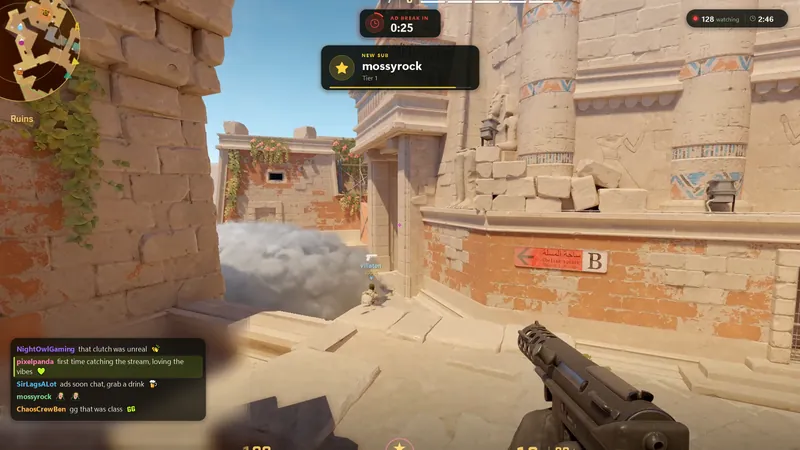
A countdown appears three minutes before an ad. The last thirty seconds go red. While the ads run, it counts those down as well.
It uses Twitch's own ad schedule. You can change how early the countdown starts.
Out now for Windows
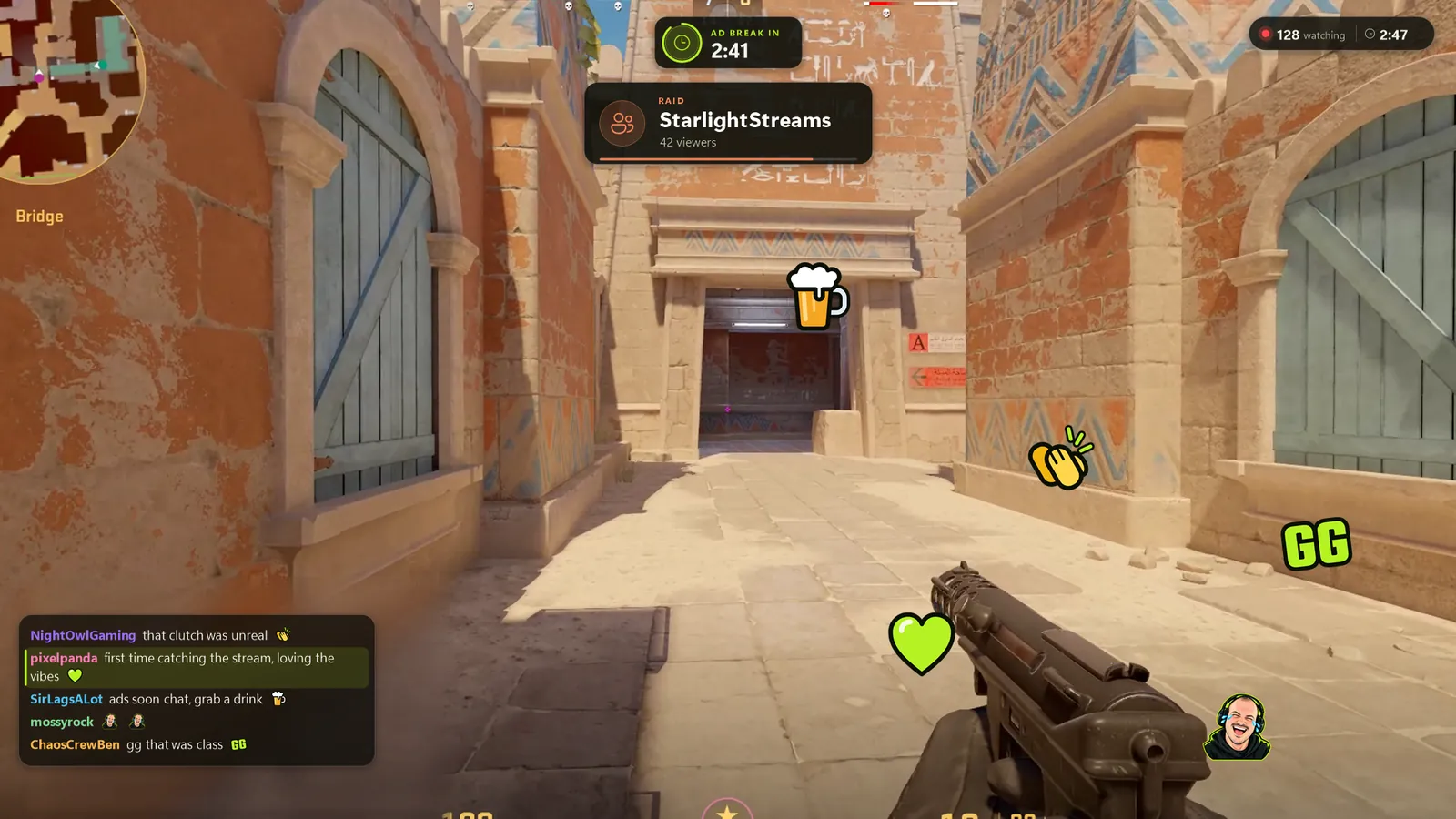
Chat, alerts, notifications, and channel rewards, drawn over the game. Keep them for yourself or allow your viewers to share the experience. Built by a streamer like you, who never wanted his community to feel like a distraction.
7-day trial, then €4.99 a month, or €49.99 a year (two months free). Cancel any time.

Setting it up
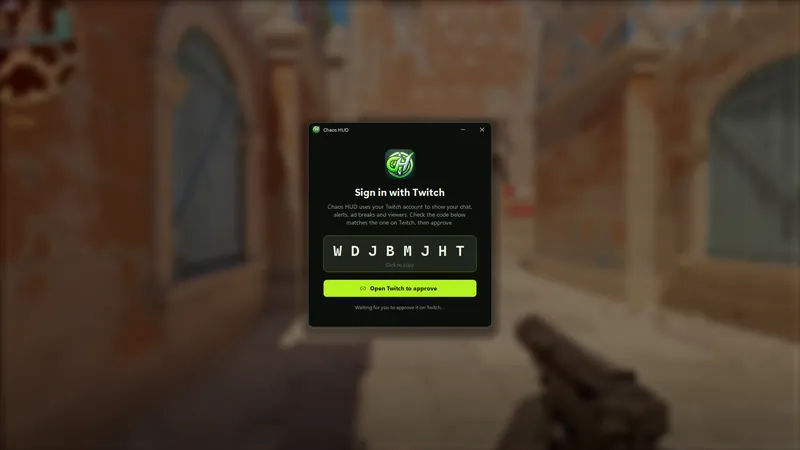
Open it, it shows a code and opens Twitch. Check the code matches and approve. You do this once.
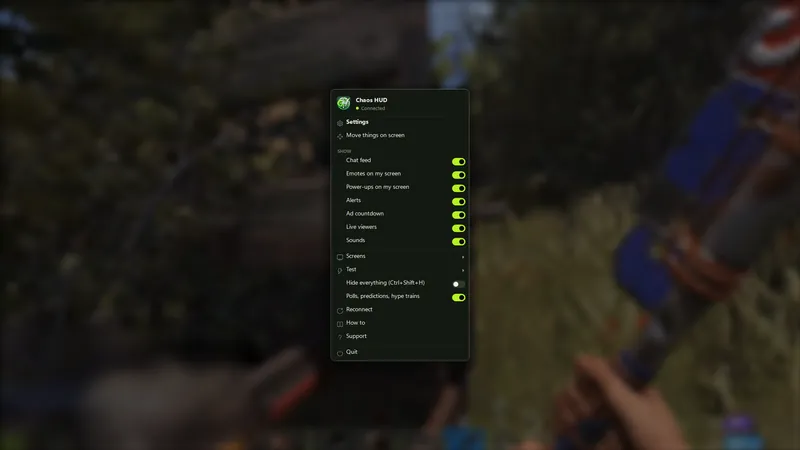
Right-click the icon for the switches, double-click it for settings. Changes save as you make them.
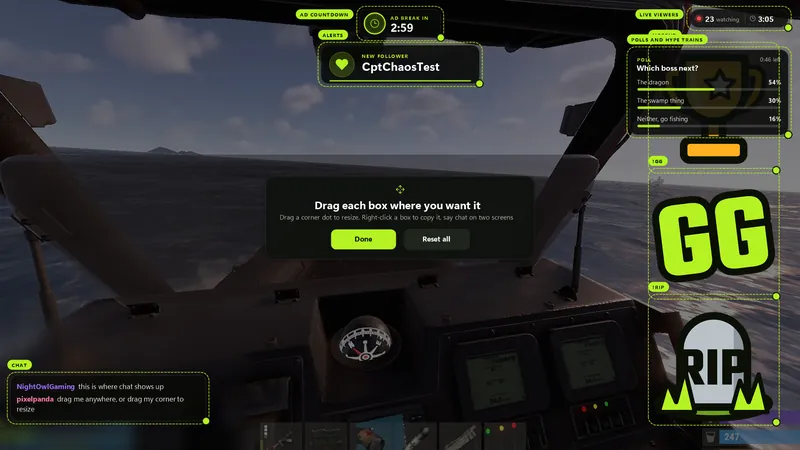
Drag the boxes where you want them. Pull a corner to resize. Press Done. If you've got more than one monitor, pick which ones it covers.
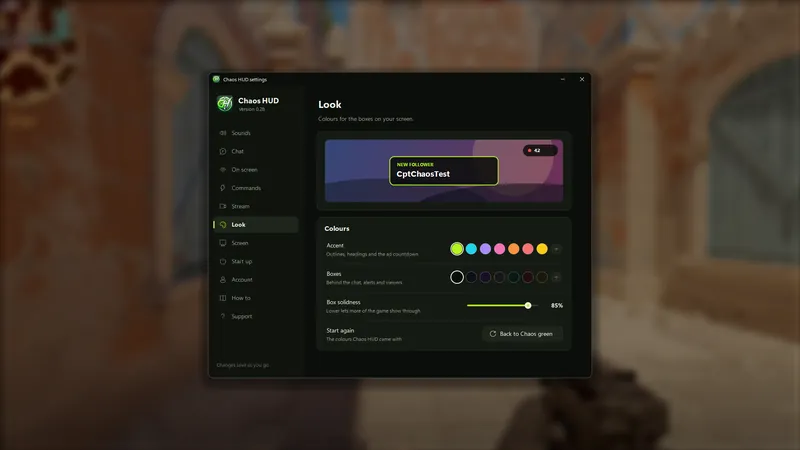
Colours, sounds, how many chat lines you see and how long they stay.
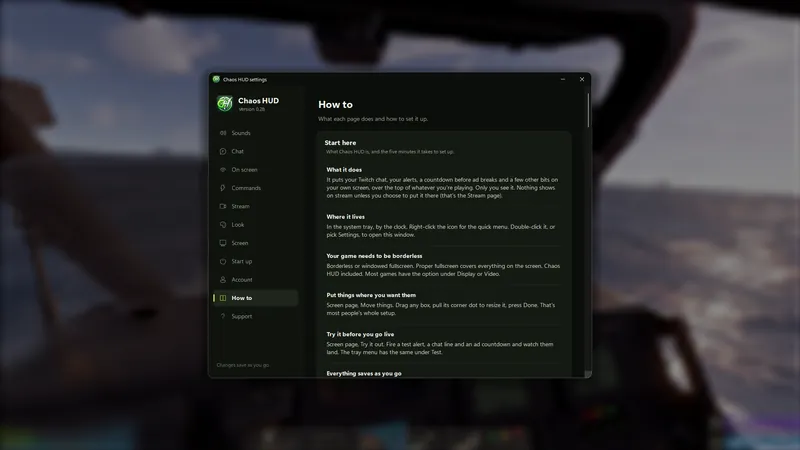
A How to page covers every setting, and the usual fixes when something looks wrong.
The one rule: run the game in borderless or windowed fullscreen. Proper fullscreen covers the whole screen, this included.
On your screen
A countdown appears three minutes before an ad. The last thirty seconds go red. While the ads run, it counts those down as well.
It uses Twitch's own ad schedule. You can change how early the countdown starts.
Chat sits in a corner and fades as it goes, emotes included. A first-time chatter's message gets a coloured edge. Polls, predictions and hype trains show as the votes come in. When a mod deletes a message or bans someone, it goes from your screen too.
Hide bots, your own messages or !commands if you want.
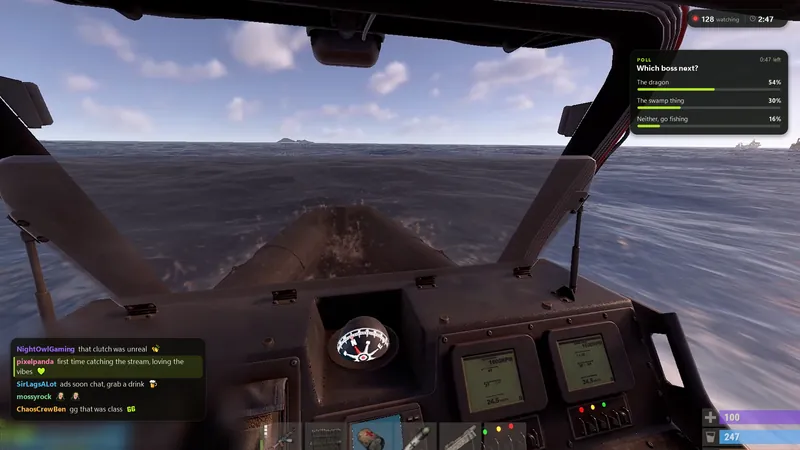
Follows, subs, gift subs, bits, raids and redeems pop up with a sound. If you already have an alert box in OBS, point the HUD at it instead and you see the same alert your viewers do.
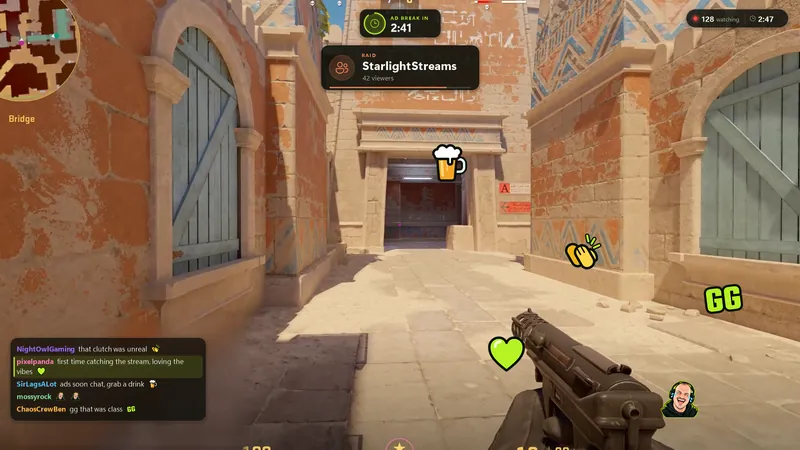
Make !whatever and give it a picture, a gif or a sound. Set where it lands, how long it stays, who can use it and how often.
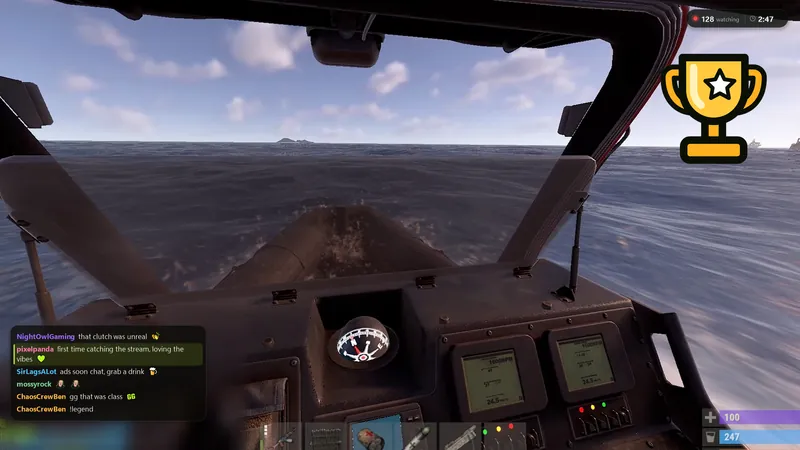
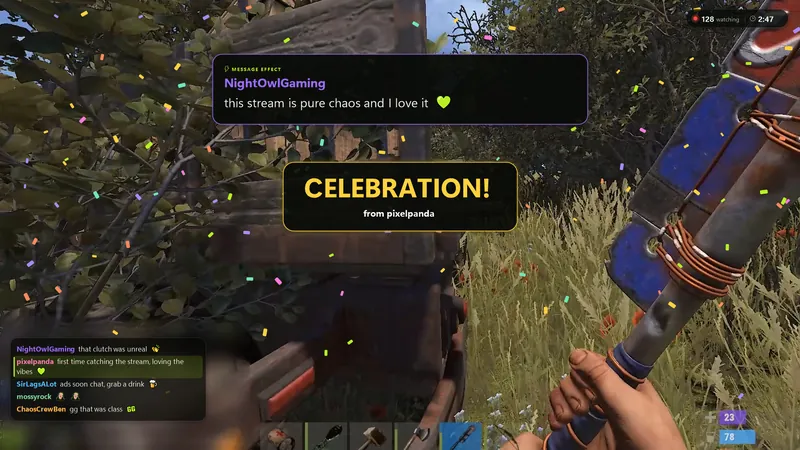
Emotes from chat float up the screen. Bits power-ups land on it too: gigantified emotes, message effects and celebrations. Twitch only shows those in its own player, so this is the first time you'll see them while playing.
On stream
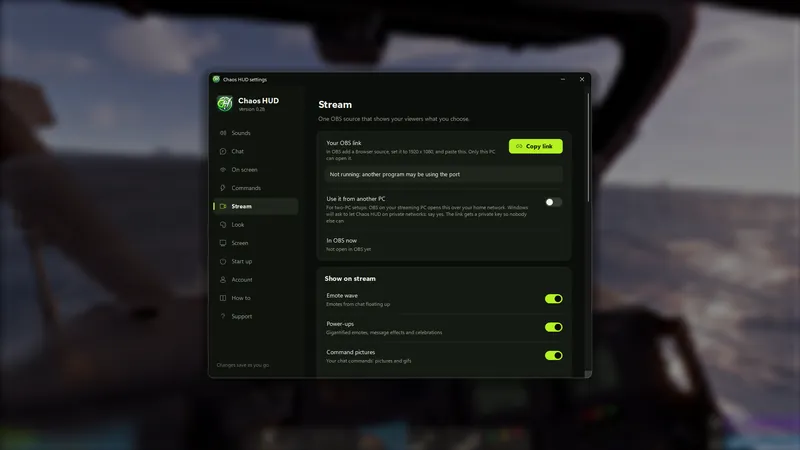
The Stream page gives you one browser source for OBS. Add it, then tick which parts go out: emotes, power-ups, command pictures, chat, alerts, polls, the viewer count. Every switch starts off.
Stream Stickers, Blerp and other transparent sources can run through the same source instead of their own, which saves a few in OBS. The stream can have its own layout. If you stream from two PCs, it works over your home network.
Pricing
Start with a 7-day trial on either plan. Nothing's charged until it ends, and you can cancel any time.
7-day trial
€4.99 / month
About the price of a coffee, or one Tier 1 sub on Twitch.
Start your 7-day trial7-day trial
€49.99 / year
12 months for the price of 10.
Start your 7-day trialEverything's included, updates and all. Full pricing and questions.
No. It's on your monitor. Putting parts of it on stream is a separate browser source with its own switches, all off until you turn them on.
No. It reads your Twitch account directly and sits over the game by itself, whatever you stream with. OBS only comes into it if you want something on stream.
In borderless or windowed fullscreen, yes. Proper fullscreen covers everything, this included.
No. Under one per cent of the processor on mine. Stream Stickers and Blerp each run a hidden browser, so only switch on the ones you use.
When it starts it checks with cptchaos.com that your channel has access: your Twitch sign-in and the version number. Nothing else leaves your PC.
The HUD runs on the PC you play on. Its OBS source can be opened from the streaming PC over your home network.
Not yet. Windows 10 and 11.
A 7-day trial, then €4.99 a month or €49.99 a year (two months free). Cancel any time. See the full pricing, or get it from the Microsoft Store.